Shopify Meta Ads Conversion Tracking: Free Plugin Setup (2026)
Facebook ad conversion tracking is crucial for Shopify stores to measure advertising effectiveness. Proper implementation of Facebook Pixel and Conversion API enables accurate tracking of customer actions. Tools like wetracked.io enhance tracking capabilities, boosting accuracy from 40% to nearly 100%. Effective tracking provides insights to optimize campaigns, improve ROI, and make data-driven decisions. Adblock-proof tracking ensures reliable data collection despite privacy measures.
Shopify Meta Ads Conversion Tracking: Free Plugin Setup (2026)
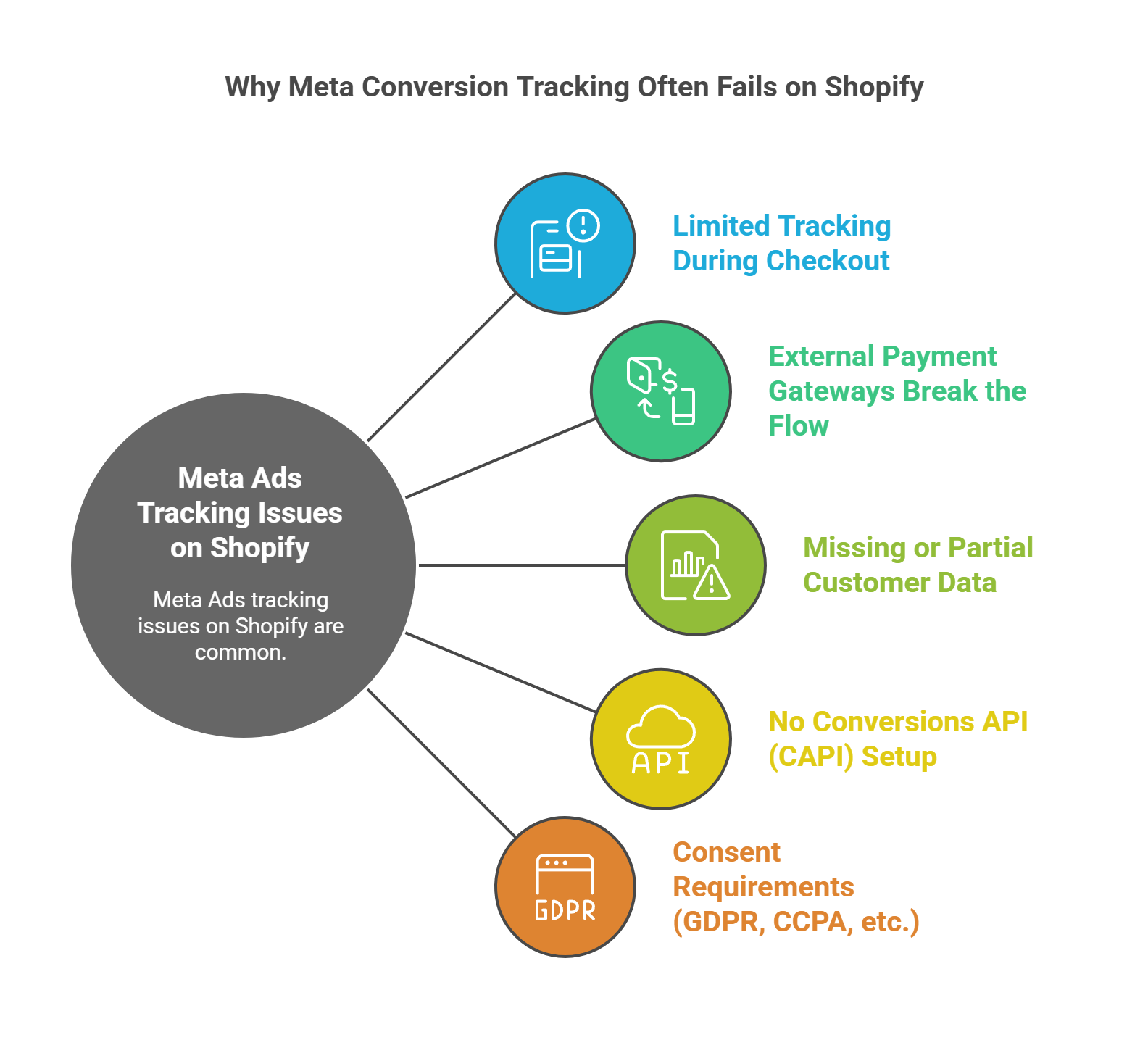
If you’re running Meta Ads for your Shopify store and still relying on basic pixel tracking, you’re almost certainly missing conversions. In 2026, browser-based tracking alone no longer reflects reality. iOS privacy rules, consent banners, and ad blockers quietly strip away a large share of purchase data.
That’s why proper Shopify Meta Ads conversion tracking is no longer just a technical detail. It directly determines how well Meta can optimize your ads and how confidently you can scale.
In this guide, you’ll learn how Meta conversion tracking works on Shopify today, how to set it up using a free plugin, and how to avoid the most common mistakes that lead to underreported revenue.
What Meta Ads Conversion Tracking Actually Does
Meta Ads conversion tracking connects actions on your Shopify store, such as purchases or add-to-cart events, back to **Meta Ads Manager.
When tracking works correctly, Meta can see which ads lead to real sales. That data feeds directly into optimization, bidding, and audience expansion.
When tracking is incomplete, Meta optimizes on partial signals. That’s when ROAS drops, winning ads get turned off, and scaling becomes unpredictable.
Why Basic Facebook Pixel Tracking Is No Longer Enough
The traditional Meta Pixel relies on browser scripts firing on the thank-you page. In 2026, that setup is fragile.
A growing share of users block tracking or deny consent. When that happens, the pixel never fires. The sale still happens in Shopify, but Meta never sees it.
For many stores, this means only 40 to 60 percent of real purchases are reported back to Ads Manager. Everything Meta does after that is based on incomplete information.
The Role of Conversion API in Shopify Tracking
Meta’s Conversion API was introduced to solve this problem.
Instead of sending conversion data from the browser, Conversion API sends it server-to-server, directly from Shopify to Meta. This bypasses ad blockers and browser limitations and dramatically improves reliability.
When implemented correctly, Conversion API doesn’t replace the pixel. It supports it. Pixel and server events work together and are deduplicated so Meta sees one clean conversion signal.
Free Ways to Set Up Meta Ads Conversion Tracking on Shopify
Shopify merchants generally have three free options to improve Meta conversion tracking.
The first is Shopify’s native Facebook and Instagram integration. When data sharing is set to “Maximum,” Shopify automatically sends server-side events to Meta via Conversion API. This is the simplest free baseline and a good starting point.
The second option is a manual setup using Google Tag Manager and Conversion API. This offers more control, but still depends heavily on browser events unless paired with server-side tagging.
The third option is using a dedicated tracking plugin that handles server-side tracking and data enrichment automatically.
The Problem Most Free Setups Still Have
Even with Conversion API enabled, many free setups still miss conversions.
Why? Because the event source is often unreliable.
If the purchase event originates from the browser or GA4 and never fires, there is nothing for Conversion API to send. In that case, server-side delivery doesn’t help much.
This is why many stores enable Conversion API and still see large gaps between Shopify revenue and Meta-reported revenue.
A Free Plugin Approach That Actually Closes the Gap
This is where wetracked.io comes in.
wetracked.io offers a free Shopify plugin that focuses on one thing: making sure Meta receives every real conversion, not just the ones that slip past browser restrictions.
Instead of relying on frontend scripts, wetracked.io captures purchases directly from the Shopify backend and sends them to Meta using Conversion API. The pixel remains active as a fallback, but the backend becomes the source of truth.
This approach ensures:
- Adblock-proof tracking
- Coverage for iOS and privacy-restricted users
- Clean, deduplicated events in Ads Manager
What Changes When Tracking Is Fixed
Most Shopify stores underestimate how much performance is lost due to missing conversion data.
When conversion tracking improves, Meta’s algorithm receives more purchase signals. That leads to faster learning, more stable delivery, and better scaling behavior.
In practice, stores typically see tracking accuracy jump from roughly 40 percent to close to full coverage once backend-first server-side tracking is in place.
How to Set Up Meta Ads Conversion Tracking with a Free Plugin
Getting started is straightforward.
You connect your Shopify store to the plugin, connect your Meta ad account and pixel, and enable server-side tracking. No manual code changes are required, and no UTMs are needed.
Once active, conversions begin flowing directly into Meta Ads Manager as server events. You can verify this inside Meta Events Manager, where events appear as “Server” or “Server + Browser.”
Most stores see the difference within days, not weeks.
Why Better Tracking Leads to Higher ROAS
Meta optimizes based on feedback loops.
When more conversions are visible, Meta can identify patterns more accurately, bid more efficiently, and expand audiences with confidence. Ads that previously looked unprofitable often turn out to be winners once tracking reflects reality.
This is especially important for campaigns using broad targeting or Advantage+ Shopping, where Meta depends heavily on conversion signals.
Common Mistakes to Avoid
One of the biggest mistakes is assuming tracking is “good enough” because some conversions show up.
Another is stacking multiple tracking scripts that conflict with each other, leading to duplicate or dropped events.
Finally, many merchants tweak creatives and audiences endlessly while the real bottleneck is missing data. Fixing tracking almost always has a bigger impact than creative tweaks alone.
Final Takeaway
Shopify Meta Ads conversion tracking in 2026 is not about installing more scripts. It’s about making sure every real sale becomes a signal Meta can learn from.
Shopify’s native tools are a good starting point, but they often leave gaps. A free, backend-first plugin setup closes those gaps and gives Meta the data it needs to optimize properly.
If you want more stable ROAS, better scaling, and confidence in your Ads Manager numbers, fixing conversion tracking is the highest-leverage move you can make.
Accurate Facebook ad conversion tracking is essential for Shopify store success. By leveraging advanced tools and techniques, merchants can overcome tracking challenges, gain valuable insights, and optimize their advertising efforts. Implementing robust tracking solutions like wetracked.io can significantly improve data accuracy, leading to better-informed decisions, more effective campaigns, and ultimately, higher returns on ad spend.