Blog
No-nonsense insights and practical tips on enhancing your ad tracking strategy. Learn from the best and get real results.

How to Set Up First-Party Tracking on Shopify (2026)
Establishing first-party tracking on a Shopify platform is crucial for e-commerce businesses seeking accurate, direct customer data. This method enables merchants to gain valuable insights into customer behavior, supporting more informed business decisions and personalized marketing strategies. Tools like Google Tag Manager streamline the integration process, making it easier to configure tracking for various activities, including orders and sales.

How to Set Up Meta (Facebook) Conversion API with Google Tag Manager (2026)
This article guides marketers through setting up Facebook Conversion API and server-side tracking using Google Tag Manager in 2026. It covers creating a server container, configuring server-side tracking, and setting up events like page views, view item, add to cart, and begin checkout. The guide emphasizes the importance of custom domains, variable creation, and parameter configuration. It provides step-by-step instructions for each event, ensuring comprehensive tracking of user interactions and enhancing data collection beyond traditional browser-based methods.

Add Shopify Store Collaborators in 2 Minutes (Quick Guide)
Collaborating on a Shopify store is crucial for developers and store owners to streamline workflows and enhance the online retail experience. To send a collaborator request, log in to your Partner Dashboard, select the store, and submit the request. This grants specific permissions, ensuring collaborators can work on necessary aspects without compromising sensitive information. Understanding how to effectively send collaborator requests saves time and prevents access issues. Shopify's Collaborator Permissions allow developers to manage themes, configure settings, and more, maintaining organized access control and enabling efficient teamwork.
.avif)
Meta Ads Sensitive Categories Restrictions (2026): What Changed & What’s Allowed
Meta's 2026 advertising changes for sensitive categories like health, finance, and politics will limit data sharing and tracking capabilities. Advertisers must adapt to these restrictions, which pose challenges but also present opportunities for innovation. Key takeaways include tighter ad rules, the need for new strategies, and potential growth through innovative approaches. The changes will impact restricted categories, affecting campaign performance and requiring adjustments in advertising strategies.
Top Hyros Alternatives (2026): Best Ad Tracking Software Compared
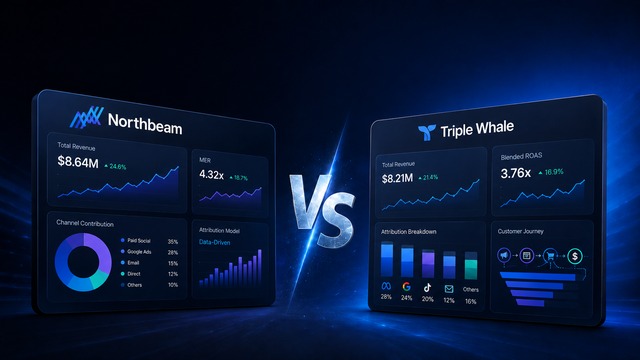
For businesses seeking effective ad tracking and marketing attribution, choosing the right platform is essential. While many rely on Hyros, alternatives like wetracked.io, Triple Whale, Redtrack, Cometly, and Adbright offer unique benefits. Each platform caters to different business needs, enhancing marketing strategies and cost savings. wetracked.io excels in accuracy and cross-channel advertising. Triple Whale provides detailed analytics. Redtrack simplifies media-buying challenges. Cometly offers advanced tracking technology, and Adbright ensures real-time tracking and comprehensive reporting.

Cookieless Tracking Solutions (2026): Fix Broken Attribution
Cookieless tracking replaces unreliable browser cookies with first-party data and server-side processing. With cookie-based tracking now only ~40% accurate due to blockers and privacy rules, solutions like wetracked.io restore near-100% accuracy, even with iOS restrictions or ad blockers. This ensures proper attribution, better ROAS, cross-device tracking, and long-term compliance as third-party cookies disappear.


Get started in less than 5 minutes
And reveal your store’s full potential with reliable adblock-proof ad tracking.
Start 14 day free trial
Set up in 5 minutes
No coding required
Exceptional 24/7 support
- 7000+
Brands thriving with us
- 24/7
Exceptional support
- 4.9/5
Avg. rating by our users
- 64%
Savings in ad spend
- 3x
Revenue from ads


.avif)